Pict Sweeper
Let’s have fun collecting images while playing Minesweeper!
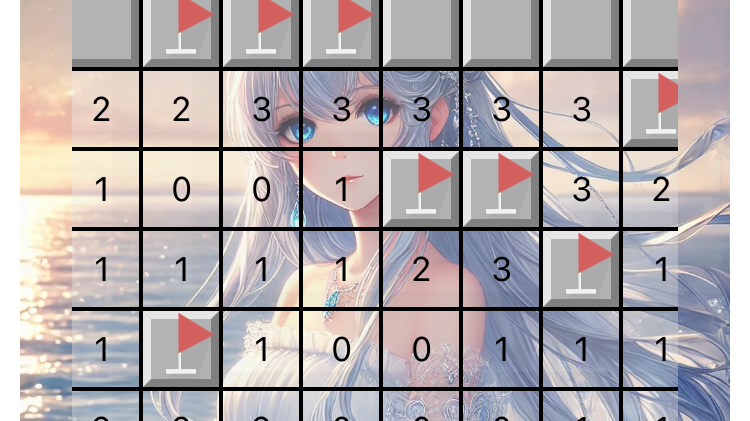
Pictsweeper is an app that adds an image collection element to the classic Minesweeper game.
How to Play
Difficulty Selection
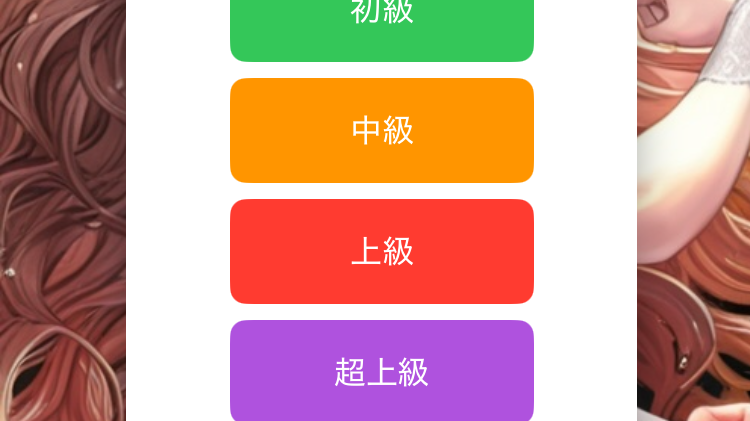
You can choose from “Easy”, “Normal”, “Hard”, and “Very Hard” difficulty levels.
Image Collection
You can collect background images for each difficulty level.
Settings
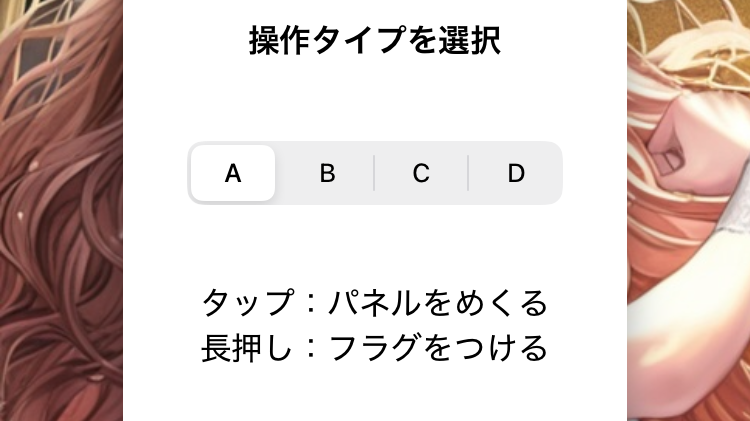
You can change the operation type and panel type in the size settings screen.
Privacy Policy
Last Updated: January 10, 2025
Pict Sweeper (hereinafter referred to as “the App”) is committed to protecting and respecting your privacy. This Privacy Policy explains the types of data the App collects from users, how it is used, and information about data sharing.
1. Information We Collect
The App may collect the following information:
1.1 Automatically Collected Information
- Approximate Location Information: Approximate regional information (using IP address) for advertising targeting and analysis purposes.
- Device Information: Device advertising ID (IDFA or GAID), model, OS version, language settings.
- Usage Data: App operation data, history of ad displays and clicks.
- Diagnostic Information: Crash logs, performance data.
1.2 Information Collected by Third-Party Services
The App uses Google AdMob to serve ads. Google AdMob may collect the following information:
- Device advertising ID (IDFA or GAID)
- Approximate location information
- History of ad displays and clicks
For more details, please refer to Google’s Privacy Policy.
2. Purpose of Using Information
The App uses the collected information for the following purposes:
- Improving user experience
- Advertising targeting and performance analysis
- Improving app performance and collecting crash reports
3. Information Sharing
The App does not share users’ personal information with third parties, except in the following cases:
- When providing necessary information for Google AdMob’s ad delivery.
- When disclosure is required by law.
4. User Choices
4.1 Allowing Tracking
On devices with iOS 14 or later, users can choose whether to allow app tracking. Settings can be changed from:
- “Settings > Privacy > Tracking”
4.2 Resetting Advertising ID
Users can reset the advertising ID from the device settings to disable targeted ads.
5. Data Protection
The App takes industry-standard security measures to securely store user data. However, it cannot guarantee complete security of internet communications or electronic storage technologies.
6. Changes to the Privacy Policy
This Privacy Policy may be updated from time to time. If changes are made, the updated policy will be posted in the app or on the official website.
7. Contact
For privacy-related inquiries, please contact us at: jpmoraso@aol.com